
in partnership with

It's time to check whether your monitor meets the minimum brightness standard for monitors. This level test your ability to reproduce low-contrast details at 250 cd/m2 brightness - a level commonly found in office and consumer monitors.


The risk of stopping at this level
If your monitor can't pass this test level, your monitor may not be suitable for detailed grayscale imaging, such as X-rays, MRIs, and CT scans.
Here's why relying on a 250 cd/m2 monitor for medical imaging could be risky:
Miss Subtle Details
Lower brightness can cause faint abnormalities in medical scans to become invisible, increasing the risk of misdiagnosis.
Reduced Contrast in Grayscale
A monitor at this level may not properly display subtle variations in brightness, which are critical in detecting fractures, tumors, or lesions.
Higher Eye Strain
If your monitor is too dim, your eyes have to work harder, causing fatigue over long shifts, which can lead to reduced focus and potential diagnostic errors.
WHAT IT MEANS TO PASS THIS LEVEL
If you can still see the symbol, your monitor is atleast 250 cd/m2 or brighter. While this brightness is adequate for general use, it's not ideal for radiology or other diagnostic application.
This level represents the brightness found in:
STANDARD OFFICE MONITORS
Most business monitors range between 200-300 cd/m2, making them usable for basic image viewing but not for fine medical details.
CONSUMER GRADE MONITOR
Some high-end consumer monitors reach up to 250-300 cd/m2, but they lack medical-grade grayscale accuracy.
OLDER MEDICAL REVIEW MONITOR
Some outdated medical-grade displays may still fall in this range, but they may no longer be compliant with modern DICOM standards.
ALREADY CAN’T SEE THE SYMBOL?
Your monitor might not be suitable for medical imaging. Don’t risk missing critical details in your diagnostics. Get a free Consultation Today! Our experts can help you find the right medical-grade monitor for accurate imaging and compliance with DICOM standards.
Get Free Consultation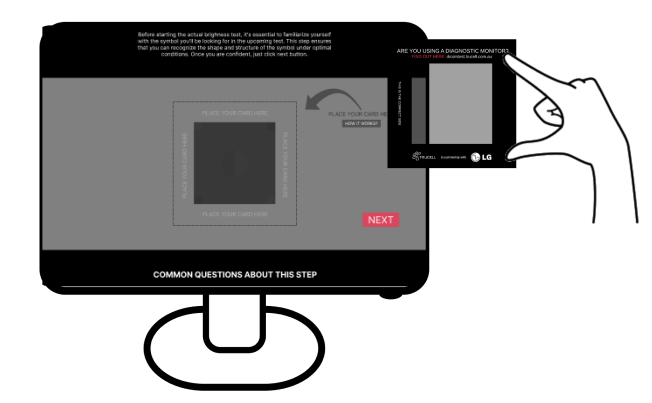

Disclaimer
This test is non-clinical and does not replace a professional calibration or regulatory assessment. Always follow institutional guidelines and manufacturer recommendations for diagnostic displays.